


Skyscanner Flights Hotels Cars
4.816.37K Reviews
App Specs
- Version
- 7.205
- Updated On
- License
- Free
- Downloads
- 100,000,000+
- Developer
- Skyscanner Ltd
- Categories
- Travel & Local
- Platform
- Android, iOS
Screenshots

 Analysis by AppCompare
When I’m planning a trip, I like to compare the big choices before I commit: where to go, how to get there, and whether I’ll need a place to stay or a car. Skyscanner Flights Hotels Cars puts those travel searches in one app, which makes it useful when I’m still working out the shape of a trip rather than ready to book one specific ticket. It’s a free travel app from Skyscanner Ltd, and its broad reach—more than 100 million installs and an average rating of 4.8 from around 1.5 million ratings—suggests it has become a familiar starting point for many travelers.
A practical starting point, not a complete travel desk
I see Skyscanner as a comparison tool first. It helps me explore options across flights, hotels, and car rentals, then sends me to the provider to complete a booking. That distinction matters: it is convenient to begin in one place, but the final purchase and the details attached to it sit with the airline, hotel, rental company, or booking provider. I would treat the app as a way to discover and compare, then read the provider’s terms carefully before paying.
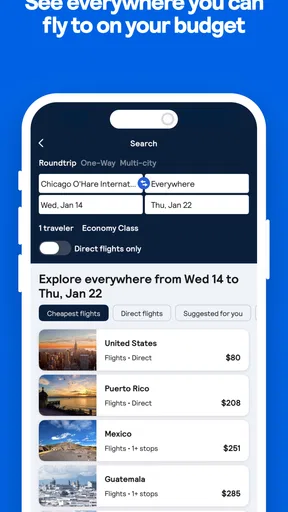
That setup is especially useful when a trip is flexible. If I know roughly when I want to travel but not where, the “Everywhere” destination search can turn a vague idea into a shortlist of places to investigate. I’d use it to spark ideas, not as a guarantee that every result will fit my budget or schedule. Once a destination looks promising, I’d check the full itinerary and the cost of getting around before deciding.
Exploring the World with Ease
First off, let's talk about the user interface. Skyscanner has nailed it with a sleek, intuitive design that makes it super easy to navigate. Whether you're a seasoned traveler or someone who's just planning their first getaway, the app feels welcoming and straightforward. I mean, who wants to wrestle with clunky menus when you're dreaming of your next holiday?
All-in-One Travel Companion
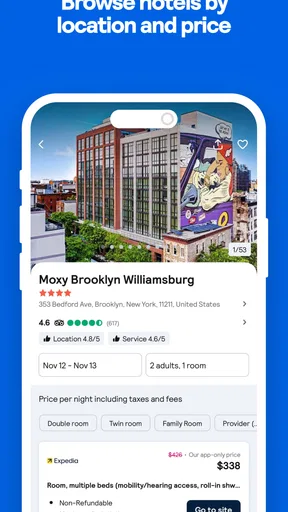
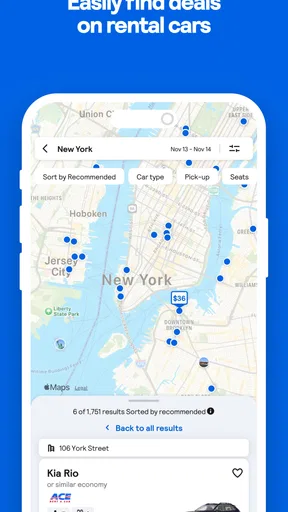
One of the things that sets Skyscanner Flights Hotels Cars apart is how it bundles everything you need into one neat package. You've got flights, hotels, and car rentals all under one roof. It’s kind of like having a Swiss Army knife for travel planning. Need a last-minute flight? No problem. Looking for a cozy hotel or a snazzy car rental? They've got you covered.
The app allows for easy comparisons. So, if you're like me and love getting the best bang for your buck, you'll appreciate how effortlessly you can weigh your options. Just a few taps, and you’re staring at a list of the best deals out there.
Flexibility at Your Fingertips
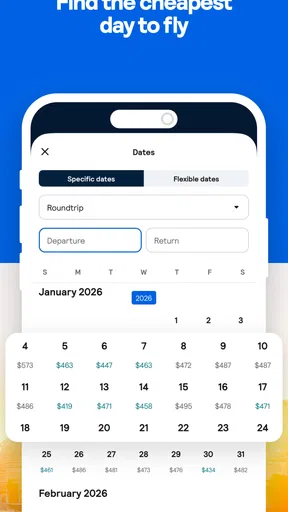
Travel plans can change on a dime, and Skyscanner gets this. The app offers a "Everywhere" search option which I absolutely adore. Not sure where to go? Just type "Everywhere" in the destination field, and you'll get a list of affordable destinations. Trust me, it’s a game-changer for the indecisive traveler!
Worth Reading Before You Choose

Baby Panda World Brings Quick Play to Modern Phones, but Its Game Library Feels Busy

ESPN’s Live Game View Makes Following Close Games Easier

QuizzLand Review: A Good Fit for Short Trivia Breaks, Not Every Player

Basketball Stars: Multiplayer Is Fast, but Can It Recover When Matches Go Wrong?

WEBTOON Turns Phone Updates Into a Better Reading Routine

Link to Windows Runs on Shared Habits, Not Social Feeds
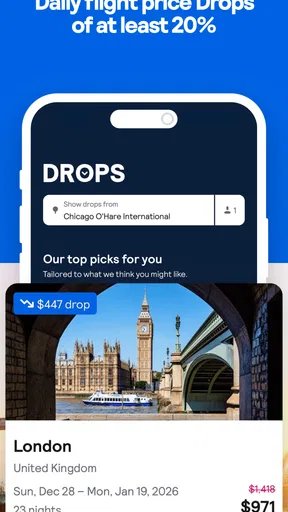
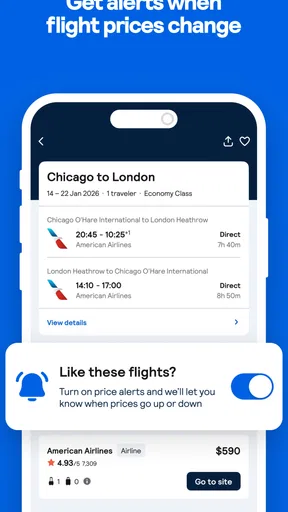
Plus, there's a handy "Price Alerts" feature. This little gem keeps you updated on fare changes, so you can snag that sweet deal when it drops. I’ve saved quite a bit thanks to this feature, and my wallet couldn't be happier.
Turning search results into a sensible plan
Price alerts work best when I use them as a prompt to recheck a trip, not as a promise that a particular fare will stay available. When an alert arrives, I compare the current itinerary with the dates and conditions I actually want. A lower headline price is less useful if it means an awkward connection, a poor arrival time, or a fare that does not suit my needs. I also avoid tracking too many nearly identical searches; a small, focused set is easier to act on than a stream of notifications.
For a realistic example, imagine I’m considering a weekend away but can shift the departure by a day. I can use flexible destination searching to find places worth considering, compare flight options, and then look at accommodation and car rental availability before I get attached to one itinerary. That order helps me avoid choosing a cheap flight to a place where lodging or local transport makes the whole trip impractical. It’s a simple planning habit, but it makes the app’s separate search areas more useful together.
Booking Made Simple
Once you've found the perfect flight, hotel, or car rental, booking is a breeze. The app directs you to the provider’s site where you can finalize your booking. It’s seamless and straightforward with no hidden surprises. You know exactly what you're getting into, which is a breath of fresh air in the travel booking world.
And let's not forget the app's loyalty programs and deals. If you're a frequent traveler, you’ll love how Skyscanner highlights any available rewards or discounts, making it easy to rack up points and enjoy savings.
What to check before leaving the comparison stage
I’d use the result list to narrow the field, then verify the important details on the provider’s booking page. For flights, that means checking the itinerary, baggage rules, change conditions, and the total shown before payment. For a hotel, I’d look at cancellation terms and location rather than judging it by the nightly figure alone. For a rental car, I’d check pickup arrangements and the terms that apply to the vehicle. These checks are useful because a comparison app can bring options together, but it cannot make every provider’s conditions identical.
This is also where I’d decide whether the convenience of bundling searches is worth continuing in Skyscanner. If I already have a preferred airline, hotel program, or rental provider, going directly to that company may make more sense for managing an existing account or using a particular benefit. If I’m still open to alternatives, comparing first can help me understand the choices before I settle on one provider.
Who benefits most from this kind of search
The app suits people who are still deciding: travelers with flexible dates, anyone comparing several destinations, and households trying to coordinate transport and accommodation before committing. It can also help a first-time traveler get a broad view of what is available without opening a separate search for every type of booking. I find that especially handy during the early planning stage, when the main question is whether a trip is workable at all.
It is less compelling if you already know exactly which airline or hotel you want and mainly need to manage a booking you have made. In that case, the provider’s own app is usually the more direct place to handle changes, account details, or trip-specific service. I would also skip relying on comparison results alone when a trip has tight timing or unusual requirements; checking providers directly gives me a clearer view of the exact conditions before I decide.
User Experience and Support
Now, let's talk customer support. While I haven’t had many issues, the few times I needed assistance, their support team was responsive and helpful. It's reassuring to know that help is just a click away if you ever hit a snag.
Also, the app's offline capabilities are worth mentioning. You can save your itineraries and access them without an internet connection. It’s perfect for those moments when you're traveling through areas with spotty Wi-Fi.
What the app’s maturity means in practice
Skyscanner has been around since July 20, 2011, and version 7.192 is its current version. That gives me a sense of an established product rather than a brand-new travel search experiment, but I wouldn’t assume that age alone guarantees a perfect result for every route or provider. The useful question for an existing user is whether the current search still makes comparison easy and whether the options suit the trip in front of them. I’d keep the app updated on a supported device so I can use the current experience, while remembering that a version number by itself does not tell me which specific feature changed.
Its Everyone age rating also makes it approachable for a broad audience, though the decisions involved in travel booking still call for adult attention to payment details and terms. Skyscanner’s scale and strong average rating are reassuring signs that many people use it, but they are not a substitute for checking an individual itinerary. I judge a result by its full details, not by popularity alone.
Where comparison has limits
The main trade-off is that comparison can create a false sense that the cheapest displayed option is automatically the best one. A fare may be attractive while its timing or conditions are a poor fit; an accommodation listing may look suitable until I check its location; and a car rental can add practical questions that a headline price does not answer. I slow down at the point where search results become a purchase and compare like with like, including dates, trip length, and the terms that matter to me.
There is also a difference between discovering a booking and managing it afterward. Since the app sends me to a provider to complete the reservation, I keep the provider’s confirmation and use its own support channel for booking-specific issues. That division is not a deal-breaker for me, but it means I wouldn’t expect one app to be the single place for every change or service request throughout a trip.
Final Thoughts
All in all, I’ve found Skyscanner Flights Hotels Cars to be an invaluable tool for travel planning. Whether you're hopping across the pond or just heading out for a weekend getaway, this app makes the process smoother and more enjoyable.
So, if you’re on the hunt for a reliable and efficient travel companion, give Skyscanner a shot. It’s like having a personal travel agent right in your pocket, ready to help you explore the world at a moment’s notice!
What I’d watch as plans and the app change
For my own use, the thing to watch is not simply whether a search produces a low price, but whether the app makes it easy to compare options that genuinely fit my plans. Travel costs and availability can change, so I treat an alert or a search result as a reason to review the details again before booking. I’d also pay attention to whether a provider’s terms match what I need, especially if I might have to change dates or cancel.
My recommendation is straightforward: use Skyscanner when you want a broad view of flights, stays, and car rentals, and when you are willing to compare before choosing. If you value one provider’s loyalty account, need direct help with an existing reservation, or have requirements that make the fine print decisive, go straight to that provider before paying. As a free starting point for planning, though, it helps me turn an open-ended travel idea into choices I can evaluate—and that is where it earns a place on my phone.
Pros
- User-friendly interface simplifies navigation.
- Comprehensive search for flights
- hotels
- cars.
- Price alerts help in finding the best deals.
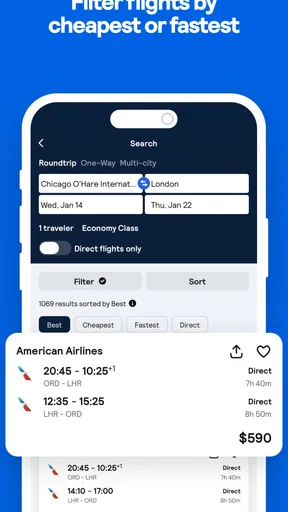
- Multiple filters for tailored search results.
- Seamless booking process across platforms.
Cons
- Occasional discrepancies in pricing details.
- Limited customer support for booking issues.
- Some hidden fees may apply during checkout.
- Offline access to bookings is not available.
- Ads can be intrusive for free users.
FAQs for Skyscanner Flights Hotels Cars
What features does Skyscanner offer for finding flights?
Skyscanner provides a comprehensive search engine for flights, allowing users to compare prices across multiple airlines. It offers features like flexible date searches and price alerts, which notify users of price drops. Additionally, the app includes filters for nonstop flights, preferred airlines, and even specific layover durations to tailor your travel preferences.
How reliable is Skyscanner for booking hotels and cars?
Skyscanner aggregates data from a wide range of hotel and car rental services to provide competitive pricing and options. While the app itself is reliable in presenting these options, bookings are completed through third-party sites. It’s always a good idea to check the reputation and cancellation policies of these partners before finalizing a booking.
Does Skyscanner charge any booking fees?
Skyscanner does not charge users any booking fees. It’s a free service for searching and comparing travel options. However, since bookings are made through third-party providers, it’s important to check if those providers have any fees or additional charges before completing your transaction.
Can I use Skyscanner offline?
Skyscanner primarily requires an internet connection to search and update travel options. However, once you’ve booked your travel plans, you can access your itinerary and booking confirmations offline, as long as you’ve saved them to your device. For real-time updates or new searches, an internet connection is necessary.
How does Skyscanner ensure the best deals on travel?
Skyscanner continuously scans a vast array of travel providers to ensure users have access to the best available deals. By offering tools like price alerts and flexible search options, users can monitor fluctuations in prices and book when rates are most favorable. The app’s broad network helps in presenting competitive prices across the board.


